 |
welcome, guest |
| Help Forum | ||||
 |
| |||
 Caves Dweller Rascii   Administrator  |
So let me get this straight... Docking Station is free for Windows and Linux users, but Mac users have to pay for it? ![[angry]](/images/smilies/angry.gif "[angry]") Unfair... Is there a workaround? - Rascii |
|||
 sam999 |
Assuming that by workaround you mean pirated download then yes probably there is a workaround. If not then no. Ethically nothing is available but buying Exodus. In the long run it's worth it however provided you install many of the Mac fixes and with any luck Fishing Cactus might respond to an E-mail campaign for free Mac downloads if we CCers back it up with threat of a boycott. |
|||
 mfb |
Also be aware that the Mac port of DS won't run on Lion or newer OSX versions. VMWare or Parallels is a workaround if you're willing to install/run them. sam, are you certain Fishing Cactus even has the rights to distribute that? I don't see why Gameware would give that to them ... but I'm not sure what their contract entails. Shee Tea Shop |
|||
 Malkin Manager |
According to Kutoka's Mac Lion Support Page, most of Kutoka's software relies on Rosetta. Fishing Cactus has nothing to do with Kutoka's port - a boycott of Fishing Cactus would not help get an updated version of the games for Mac. I believe that in the Gameware forums, Lisa once mentioned that free versions of DS were up to Kutoka, and that they had been ruled out, perhaps so that Kutoka could be sure of making back its money on the ports. Take this with an entire salt shaker of salt... It's been almost 4 years since the Gameware forums were closed... My TCR Norns |
|||
Caves Dweller Rascii Administrator |
 Okee. Thanks for the info! - Rascii |
|||
mfb |
BTW, though this isn't DS: Creatures 1 can be run with WINE, implying it can run on OSX as well as wine runs on it, but it's a finagly process. I'd like to try it but I don't have the DLLs handy. edit: It looks like it might be able to run DS as well? but on Lion and up there's a big problem with this ... no way to change the screen color depth! unless there's a terminal command for that... I tried changing X11's color depth once but it just crashed wine. Shee Tea Shop |
|||
mfb |
Pardon the thread necro but it seemed relevant. I've figured out a workaround for OS X Lion: Running Exodus on Lion No VMs, just Wine and a little bit of finagling with deprecated video settings. Shee Tea Shop |
|||
Malkin Manager |
Have you had much success with getting the Genetics Kit to work on Lion? I've managed to get it to read-only status on my Leopard with Wine. My TCR Norns |
|||
mfb |
Sure, I just gave it a whirl. I was a bit surprised, it installs straight from the installer with no issue. It spews a few nonfatal errors when running but it seems to work fine both reading and writing. Any other executables you'd like me to try out? I feel I should mention I can't get the breed packs to install -- they're too upset about Wine's handling of the registry. Going to be installing them on a Windows comp later and copying the files over since all they are is compressed archives. Shee Tea Shop |
|||
Malkin Manager |
That's interesting, that it seems to be able to write - the setup I've got doesn't let me write, and keeps on crashing.  Could you please try the CAOS Tool? My TCR Norns |
|||
mfb |
Malkin wrote: what Wine engine are you using, and are you using wineskin? are you on an Intel mac? I have zero experience with wine outside of wineskin and zero experience with PPC macs. This is as far as I was able to get with the CAOS tool, sorry. I'll try installing it on a windows computer when I get around to doing the breed pack thing and just copying the executable over. Shee Tea Shop |
|||
Malkin Manager |
I'm on a dual PPC/Intel computer (and holding onto it like the grim death). I'm using WineBottler, and I htink I'm running Wine 1.4.1. It looks like the caos tool is trying to authenticate the password, and fails, therefore stops installing.  Thanks for trying! Thanks for trying! My TCR Norns |
|||
Caves Dweller Rascii Administrator |
I'm excited to try getting DS to run on my MacBook Air running Lion 10.7.5.  Thanks for posting the guide, mfb! Thanks for posting the guide, mfb!- Rascii |
|||
mfb |
Rascii wrote: sounds like you have the exact same setup as me good luck. I'll continue updating the page with new info/worked-out glitches as I get around to fixing them.Shee Tea Shop |
|||
Caves Dweller Rascii Administrator |
OK, now I have it working, thanks to your guide, mfb. However, I can't seem to find where Exodus is installed so that I can add more 3rd-party agents and rooms.  - Rascii |
|||
 Patient Pirate ylukyun Manager |
It's probably going to be somewhere in the Wine directory. Looks like that's yourhomedirectory/.wine |
|||
Caves Dweller Rascii Administrator |
Just found it. I only tried searching for "Exodus" and similar things, but after I searched for "Docking Station" I found it in the Documents folder. - Rascii |
|||
mfb |
I've noticed some issues with the Docking Station directory in ~/Documents; it doesn't seem to pick up agents there. I haven't had a chance to test more extensively to see what's what. (there's a ton of stuff in ~/Documents/Docking Station/Images so I'm forced to conclude those work) Your Docking station directory is accessible from inside the wineskin as it has a link to the relevant part of your Wine directory -- find the wineskin, right click it to open package, use the drive_c link within, and navigate like you would on a normal pc Shee Tea Shop |
|||
Caves Dweller Rascii Administrator |
So my game runs fine now but I still haven't figured out where to put 3rd party add-ons. Anyone else know how to do this? - Rascii |
|||
 Sixty Third Karias |
Have you found the My Agents folder yet? If you installed DS via GOG.com you might find that the folder isn't in Documents, but instead where your program files are, under GOG.com instead of "Docking Station" -Karias; a bit fruity and gone bananas in the wrong climate! |
|||
Caves Dweller Rascii Administrator |
Well I followed mfg's set up so I'm using something called wineskin which I don't really understand. I think it creates a version of Windows or something so I can't find the directories. - Rascii |
|||
Sixty Third Karias |
Ah. Heard of it, but, not sure I could help you there then. -Karias; a bit fruity and gone bananas in the wrong climate! |
|||
Malkin Manager |
Wine Wine is a free and open source software application that aims to allow applications designed for Microsoft Windows to run on "Unix-like systems" - which I gather is Linux and Mac. Wineskin has the core of Wine inside it, but is easier for people to use. My TCR Norns |
|||
 Peppery One Papriko |
I personally also like PlayOnLinux (or in your case PlayOnMac). It probably does pretty much the same as wineskin, though. It lets you download several wine versions and use them parallel, easily create virtual drives for each game and install additional things (such as extra libs or actual game patches/expansions) with ease and all that united under a nice GUI. Lets play plants! Photosynthesis... Photosynthesis... Photosynthesis... |
|||
 Kett |
I know this is not the direction you've gone in, but I run all my creatures games using Windows XP through Virtual Box. Works perfectly, and I can use the windows version of DS. Sounds like this is only kind of working for you, so that's why I posted this. |
|||
 LoquaciousLo |
Hey, I can see this thread was from a while ago, but if any one could help me out I would super appreciate it! I have an old MacBook, but it's running 10.6.8 -- the guy at the Apple Store told me I can't try to update to any higher versions (which is fine with me.) I recently downloaded Creatures Exodus from Gamers Gate (I used to own and play years ago.) Right now I can run Creatures 3 without a problem, but Docking Station isn't working. I didn't even think it was on my computer until I read this thread and searched for it. When I went to launch it, though it said I didn't have Creatures 3 installed. Any ideas how to link them up? I am off to go look into wine, but I'm not the best at these things. if anyone has any tips that would be amazing! |
|||
Caves Dweller Rascii Administrator |
I play Exodus using the Wine application that was mentioned earlier in this thread. When I open Exodus it shows up as DS, and I can choose to create a docked or undocked world. Is this how it's working for you too? - Rascii |
|||
Caves Dweller Rascii Administrator |
So my Exodus was working fine on Wine. But now when I try to run it, all I see is random stuff like this: 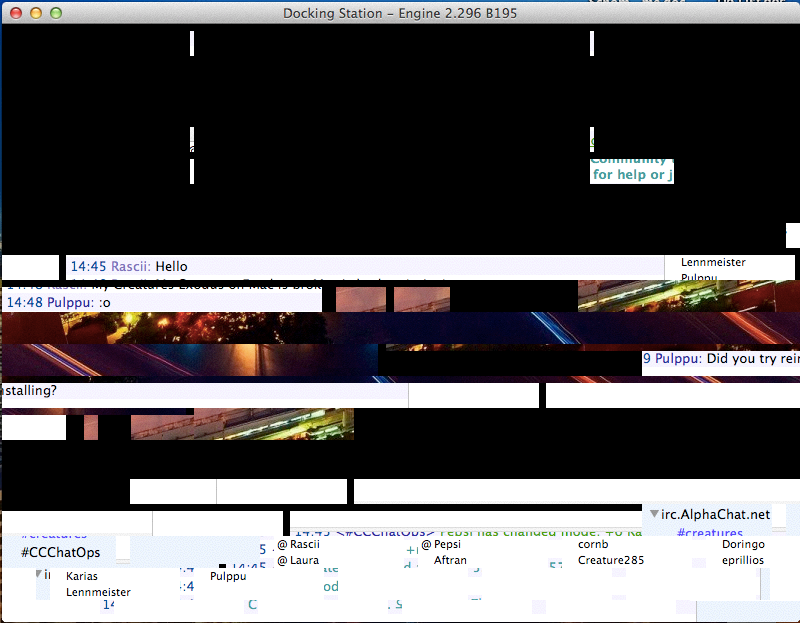 Anyone know how to fix this? I tried updating to the latest version of Wine but it still isn't working. I think it might be because I updated my Mac OS X to the latest version Mavericks. Any help would be much appreciated!! - Rascii |
|||
 Geek Ettin eprillios |
I'm experiencing the same after upgrading to Mavericks, sadly. I guess we need to wait until the people over at Wine or Wineskin fix this, but maybe it's also possible to file a bug report.  Geek Ettin's Lab (New!) Bill Gates: "Be nice to nerds. Chances are you'll end up working for one."  |
|||
 Feddlefew |
Has anyone gotten DS to work on Maverick yet? |
|||
| downloads cobs adoptions creaturelink metarooms breeds gallery art wallpaper screenshots graphics promos sprites |
dev hack shack script reservations dev resources active projects dev forum community links advice chat polls resources |
creatchi forum bookmarks general news help development strangeo survivor |
mycaves log in register lost pw |
2 online Shooshadragon13 Dragoler |
| creatures caves is your #1 resource for the creatures artificial life game series: creatures, creatures 2, creatures 3, docking station, and the upcoming creatures family. contact help privacy policy terms & conditions rules donate wiki |
||||